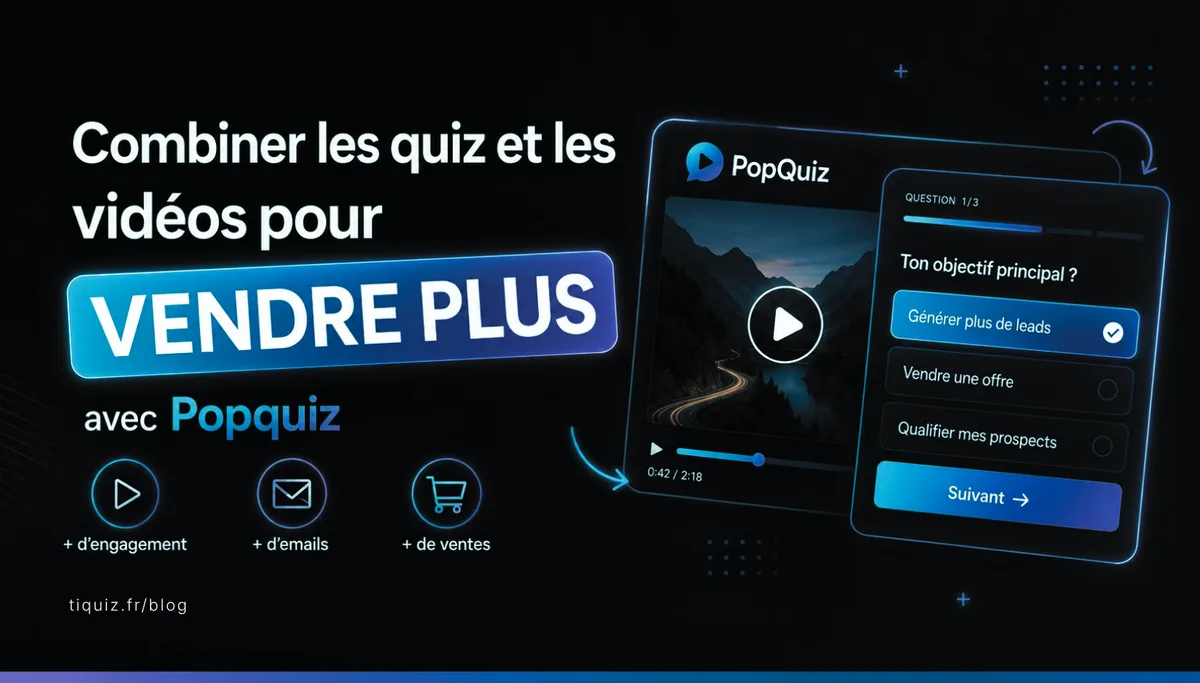
Watch this Popquiz video to see exactly how it works:
55% of visitors spend less than 15 seconds on a web page (Chartbeat).
On your last YouTube video, the average viewer sticks around for 32 seconds.
And how many of them leave you their email? Probably none. Passive video barely captures anyone any more in 2026.
Yet video is the format that pays best in 2026.
87% of marketers say video directly increased their sales (Wyzowl State of Video Marketing 2024).
Companies that use video grow their revenue 49% faster than those that don't (Aberdeen Group). The catch is that video is passive. Your visitor watches, scrolls on, forgets. Unless you ask them to click.
The video quiz (or Popquiz) settles that contradiction.
You take a video that already speaks to your audience, you drop 2 or 3 quizzes into it at the key moments, and every viewer turns into a contact sorted by what they answered.
Here are the numbers that back it up, why it is perfectly legal, and 7 use cases that will make you want to try it this week.
1. How a video quiz works, in 30 seconds
What a Popquiz actually is
A video quiz is a quiz that appears on top of a video while it plays, at the exact moment you picked.
Your visitor starts the video, at 0:45 your quiz shows up over the picture, they answer, the video resumes.

One quiz, two quizzes, ten quizzes.
Your call.
The process in 5 steps
Adding a quiz to a video in Tiquiz takes about as long as cracking eggs for an omelette 🍳
→ You pick a video (YouTube, Vimeo, or your own video file)
→ You choose the moments where your quiz should appear (say at 0:30, 2:15 and 4:00)
→ At each of those moments, the quiz shows up over the video
→ Your visitor answers, their email is captured, their profile is filed in your Systeme.io
→ The video starts again on its own
You don't have to film anything, use the videos that already work
The difference in one line: you don't shoot one more video. You turn the one that already exists into a qualified-contact machine.
It is exactly the same mechanic as a plain lead-magnet quiz, except it rides inside a format your audience already consumes without effort.
You are not asking them to click on an ebook they will never read.
You are slipping a quiz into the middle of something they are already watching.

2. Five underrated reasons to start this week
Video is what sells best right now, and it isn't close
87% of marketers say video directly increased their sales.
90% say it helped them generate leads.
96% say it helped their prospects understand their product or service.
Three numbers from the annual Wyzowl State of Video Marketing 2024 report, based on 600 marketers surveyed.
Companies that use video grow their revenue 49% faster than those that don't (Aberdeen Group, quoted by Vidyard).
Forrester Research worked out that 1 minute of video is worth 1.8 million written words in terms of impact (Dr James McQuivey, Forrester). You will not get that from a blog post, however good it is.
If you have been telling yourself video is "not for you", those numbers say otherwise.
Where does that figure come from?
Let's pull the thread and look at what Dr James McQuivey actually did. He started from the old saying "a picture is worth a thousand words". He took the number of frames in one second of video, 30 of them (29.97 for the purists), multiplied by 60 (the seconds in a minute), then by 1,000, and 30 x 60 x 1,000 = 1,800,000. Ta-daa 🥳 One minute of video is as powerful as 1.8 million words.
Readers drop off your blog page in 15 seconds. With a video, they stay twice as long.
55% of visitors spend less than 15 seconds on a web page (Chartbeat).
Text-only content, however good, loses half your audience before the end of the first paragraph.
You write 2,000 words, they read 30.
With a video embedded, visitors spend 2.6 times longer on the page (Wistia State of Video Report 2024).
And the conversion rate of a page with a video is on average 80% higher than the same page without (Eyeview Digital, quoted by HubSpot).
Simply adding a video holds your reader in place.
The video quiz goes one step further: it turns that time spent into a qualified contact.
Passive viewer versus active visitor: twice the revenue on the same traffic
Interactive content (quiz, calculator, poll) converts twice as well as passive content (video alone, ebook, article).
Sources: Outgrow Interactive Content Statistics and Demand Metric.
70% of marketers say interactive content converts well.
88% say it sets them apart from their competitors.
Why those numbers?
Because your visitor stops being a spectator. They become an actor. They click, they choose, they invest something. And a visitor who has invested something becomes a qualified contact twice as often as a passive viewer.
On the same traffic. Without spending a penny more.
A quiz captures 33% of visitors on average. A plain opt-in captures 2 to 3%.
The average capture rate of a lead-magnet quiz is 33.6% (Interact Quiz Marketing Statistics, based on hundreds of quizzes published on their platform).
For comparison: the average conversion rate of a plain opt-in with a free ebook is 2 to 3% (Sumo and GetResponse Email Marketing Benchmarks).
On the same traffic, a quiz captures 10 to 15 times more contacts than a free ebook.
That is not a marginal gain, it is a different category.
And with a video quiz you play both hands at once: the retention of the video plus the conversion of the quiz. The result beats either of them on its own.
Interactive video multiplies engagement by 5
An interactive video generates 5 times more engagement than a linear one (Demand Gen Report).
Interactive videos have a completion rate 50% higher than non-interactive ones (Wibbitz).
89% of consumers say they want to see more video from brands in 2024 (Wyzowl).
And the more interactive it is, the more it gets shared.
The video quiz ticks all three boxes: engagement multiplied, completion up, sharing made easy. You are not adding a marketing effort, you are turning what you already have into something far more profitable.
Dropping a quiz onto any YouTube video (without stealing from anyone)
The video belongs to its author. The quiz belongs to you.
You take a video that already exists (yours, a partner's, a video that is doing well in your niche, a TED Talk, a public conference) and you drop your quizzes on top.
It is legal for a simple reason:
You are not taking anything. The video stays on YouTube or Vimeo, its author keeps every viewer and everything those viewers earn them. You are only slipping your quiz on top, like a bookmark in a borrowed book.
The book belongs to its author. The bookmark belongs to you.
Nobody loses, everybody wins.

The 6 kinds of video you can put a Popquiz on
→ Your own YouTube or Vimeo videos.
The obvious one. Your latest video about your method can now sort its viewers into 4 different profiles, and send each of them into the email sequence that fits.
→ The expert videos you keep quoting.
An email to the author to let them know is more polite, though not required. You are doing a standard embed, exactly like any blog post that includes a YouTube video.
→ The videos that are doing well and match your topic.
A viral TED Talk, an interview doing the rounds on LinkedIn, a Q&A from a recognised expert in your field.
→ Free webinar replays.
Yours above all. If you ran an hour-long webinar six months ago and the replay is sitting on YouTube with 800 views, you put a Popquiz at the 25-minute mark (right in the heart of it) and you wake that sleeping traffic up.
→ Videos from public institutions.
TED Talks, university lectures, videos from public bodies, royalty-free conferences.
→ Videos under a free licence (Creative Commons).
YouTube has thousands of them, filtered through advanced search.
4 red lines you don't cross
→ Re-uploading somebody else's video to your own YouTube channel
→ Downloading the video and hosting it on your own server (unless you have their agreement)
→ Editing the video itself (cutting passages, changing the sound)
→ Hiding the original source to the point of misleading the viewer
You use the video as it is, and you add your quiz on top. That's all.
Those lines matter. They are what keeps this on the right side of the ethics, and what stops you from taking credit for someone else's work.
7 ways to turn a video into a contact machine
Here are 7 real cases of people who put a Popquiz in the middle of a video, and what it changed for their business. I made the first names up, but the mechanics are exact.
Marie has 200 YouTube videos and 0 contacts. Here is what she changed.
Marie is a business coach for beginner solopreneurs.
She has posted 200 videos on her YouTube channel over four years. 8,000 views a month all told. 0 contacts captured.
On her 10 most-watched videos, she adds a Popquiz called "What kind of entrepreneur are you?" 30 seconds in.
Four result profiles: Getting started, Struggling, Plateaued, Levelling up. Each profile has its own email sequence.
Result:
200 qualified contacts captured every month, on videos she published years ago.
Not one new video to film.
Sophie tripled the sales behind her webinar replay
Sophie runs free 60-minute webinars.
The replay on YouTube gets 1,500 views, but 90% of viewers never sign up for the paid offer behind it.
She puts a Popquiz at the 25-minute mark (right in the heart of the replay) asking where the viewer stands: "You're starting out / you're struggling / you've plateaued".
Each answer fires a different email sequence, matched to that stage.
Result:
30% of viewers answer the quiz and land in the email sequence that fits their profile.
Conversion on the main offer x3.
Thomas puts a quiz on a viral TED Talk with 3 million views. He captures on other people's traffic.
Thomas is a productivity consultant.
A viral TED Talk covers exactly his subject (burnout at work), with 3 million views.
He publishes a blog post called "My take on [speaker]'s TED Talk", embeds the TED video in his article, and adds a Popquiz at 5:00 ("What is your biggest time sink right now?").
Result:
Google traffic landing on his article (thanks to the SEO on the speaker's name) plus a quiz that collects contacts on that free traffic. Not one video filmed, not one euro of ads.
He is borrowing the reach of a speaker far better known than he is.
The affiliate who warms her prospects up on a video that isn't hers
Béné runs Systeme.io affiliate offers. The Systeme.io sales page carries an official 3-minute demo video, made by Systeme.io.
On her own affiliate page, she embeds that demo video plus a Popquiz called "Which Systeme.io plan is right for you?" at 2:30.
The quiz sorts the visitor into 3 profiles: light use, professional, advanced business.
Each profile gets the argument that matches their need before the click through to the sales page.
Result:
the visitor reaches the Systeme.io affiliate page already warm and already pointed at the right plan.
Conversion x2 on her commissions.
Léa takes her completion rate from 40% to 75% with 4 quizzes inside one video
Léa sells a pastry course.
Module 3 is a 12-minute video on choux pastry.
Before: 40% of students finish that module. Most of them drop out halfway.
She places 4 quizzes inside the video: at 2 min, 5 min, 8 min and 11 min.
Each quiz checks that the student has followed. If they get it wrong, the passage replays automatically.
If they get it right, the video carries on.
Result:
completion goes from 40% to 75%. Students actually learn, and the 5-star reviews follow.
Pierre halves the discovery calls that go nowhere
Pierre runs free 30-minute discovery calls.
40% of those calls are dead ends that will never become clients. That is time gone.
Before booking a call, the visitor watches a 5-minute video (Pierre introducing himself) with a Popquiz at 4:00: "Are you ready to invest €2,000 in coaching this year?"
If yes, they get the booking calendar. If no, they are pointed to a free resource.
Result:
discovery calls twice as qualified. Pierre closes 1 in 3 instead of 1 in 8. And he gets his time back to work on his content.
Camille tests her €297 offer with a video quiz, before she builds it
Camille wants to launch a new course at €297. Before building it, she wants to check her audience is interested.
She films a 3-minute video presenting the concept.
Halfway through, a Popquiz at 2:00: "What would you be willing to pay for this course?"
Four possible answers: under €100, €100 to €200, €200 to €400, over €400.
If 60% answer "€297 and up", the course gets built. If 60% answer "under €100", she changes the price or the angle.
Result:
no product built into thin air. Camille knows in advance what her audience is willing to pay.
Your first Popquiz in 10 minutes, step by step
Here is the exact procedure to build your first Popquiz in Tiquiz. Allow 20 minutes for the whole thing. If you already have a quiz ready in your account, it drops to 10 minutes.
Step 1: you get your quiz (or quizzes) ready
Before creating your Popquiz, you need at least 1 quiz in your Tiquiz account.
If you don't have one yet: go to /quiz/new, pick the AI mode, brief it in one sentence ("a quiz to qualify my beginner entrepreneur visitors"), and you get your quiz in 30 seconds.
You tweak 2 or 3 questions, you name 4 result profiles.
Done.

Step 2: you create your Popquiz
Go to Popquiz and choose your video. Three ways to do it:
→ A YouTube link: you paste the link (the plain video link, the one you copy from YouTube's "Share" button). Tiquiz pulls the thumbnail and the duration automatically.
→ A Vimeo link: same as YouTube.
→ Your own video file: you upload your video (up to 20 GB, in mp4, mov or webm).

Step 3: you place your quiz moments inside the video
On the video bar, you click at the exact moment where you want your quiz to appear.
You pick the quiz from your list.
You pick the mode:
→ Blocking: the visitor HAS to answer before the video carries on
→ Optional: the visitor can skip the quiz if they want
You place as many quiz moments as you like. For a 5-minute video, 2 or 3 work well.
Past that, it gets intrusive.

Step 4: you publish your Popquiz
You click Publish.
Tiquiz hands you two things:
→ A direct link to share: quiz.tipote.com/p/my-popquiz
→ A short embed code to paste into any page (a blog post, a Systeme.io page, a WordPress site)

Step 5: you watch the contacts come in
Every answer to a video quiz captures the contact, files them by the profile they landed on, and syncs them automatically into your Systeme.io.
Allow 24 to 48 hours before your first contacts if your traffic is steady.
Longer if you publish the Popquiz without sharing it anywhere.
To speed things up: put the link in your Instagram bio, in your email signature, in a story, in a newsletter.

Why Tiquiz costs a fraction of the American tools
When a French tool comes in well under its American competitors, the first question is where the catch is.
I took the time to compare plan by plan.
Here is what came out of it.
The difference comes from the fact that Tiquiz is built with AI, without leaning on an expensive outside developer, by a French founder who wanted the simple tool that didn't exist.
What that saves on the structure goes into the price. It really is that simple.
And among the tools on that list, Tiquiz is the one wired straight into Systeme.io. With the others you pay for Zapier or Make on top to bridge the gap, and Zapier's Professional plan alone is €27 a month.
If you want the full comparison, tool by tool, it is on our integrations hub.
FAQ: how do you put a quiz inside a video and connect it to Systeme.io?
Is it really legal to slip a quiz into a YouTube video?
Yes. You are not taking anything. The video stays on YouTube, its author keeps every viewer and everything those viewers earn them. You are only slipping your quiz on top, like a bookmark in a borrowed book. The book belongs to its author. The bookmark belongs to you. Nobody loses, everybody wins.
Does the video's creator lose anything?
No. Their views are counted as normal, so is what the video earns them, so is their ranking on YouTube and Google. All you are doing is collecting your own contacts alongside their audience.
How many quizzes can I put on one video?
As many as you like. For a 5-minute video, 2 or 3 work well. For a 30-minute video (a webinar replay, say), 4 to 6 placed strategically. Past that it gets intrusive and your viewers leave.
Can I make the quizzes compulsory or optional?
Both. At each quiz moment you pick blocking mode (the visitor HAS to answer before carrying on) or optional mode (they can skip). Blocking converts better but frustrates some people. Worth testing on your own audience.
Is Popquiz included in the Tiquiz free plan?
Yes. The free plan includes 1 Popquiz, with 10 visible leads per rolling 30 days: the captures keep happening either way, the rest are simply blurred until you upgrade. Enough to test the idea on one video and see whether the mechanic works on your audience. Unlimited comes with the €17 a month plan, once you are convinced.
Does the quiz match my site's branding?
Yes. Your Tiquiz account branding (logo, colours, Google font) applies automatically to the quiz on top of the video. It sits visually with your site without you touching a line of CSS.
Over to you
You now have what you need to turn a passive video (yours or somebody else's) into a machine that sorts contacts for you.
What's left to do:
→ Find a video that speaks to your audience (5 minutes maximum to start with)
→ Think of 1 or 2 questions you want to ask your viewer
→ Create your Tiquiz account (free, 1 Popquiz included to test)
→ Generate your quiz with the AI in 30 seconds
→ Place the quiz moment on the video
→ Publish, and paste the code onto your blog or your Systeme.io page
→ Watch the contacts come in
Allow 20 minutes for your first Popquiz.
20 minutes to go from "I have a video sitting there doing nothing" to "I have a contact machine running without me".